
Scheduling and dispatch
Book trips, build each driver's day, and handle the changes that come in once the day has started.
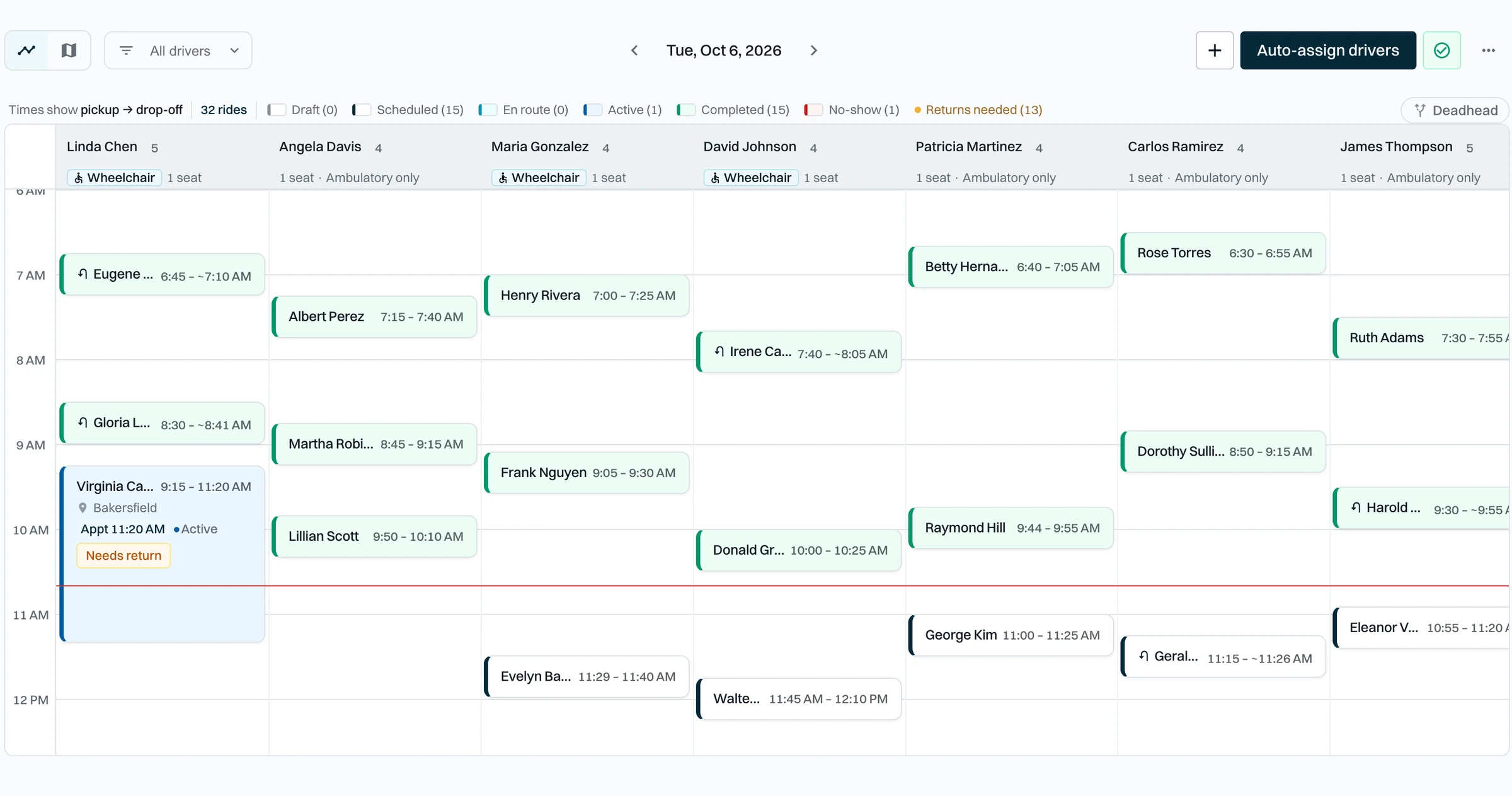
What's in Scheduling
Booking
- Multi-leg trips in one booking
- Quick return legs
- CSV trip import with column mapping
- Trips offered by brokers and health plans
The board
- Timeline and map views
- Drag-and-drop reassignment
- Wheelchair and seat capacity per driver
- Drivers ranked by fit, with conflicts flagged
- Deadhead miles on the map
Auto-assign
- Assign the day's rides in one run
- A reason for every ride it could not place
- A warning when drivers or vehicles changed since the last run
Day-of changes
- Will Call returns
- Mark a driver out and move their rides
- Give a ride back to the broker
- Live ride page with driver location
Frequently asked questions
Yes. Auto-assign gives the unassigned rides to drivers and orders their stops. You can drag any ride to another driver afterwards.
See Skipper on your own trips
A 30-minute call with our team. We will walk through Skipper using trips like yours and follow up with pricing.